Integrations · AI Agent Configuration · New feature
Set up your Chat, Voice and Email channels from Zowie MCP
November 23, 2026
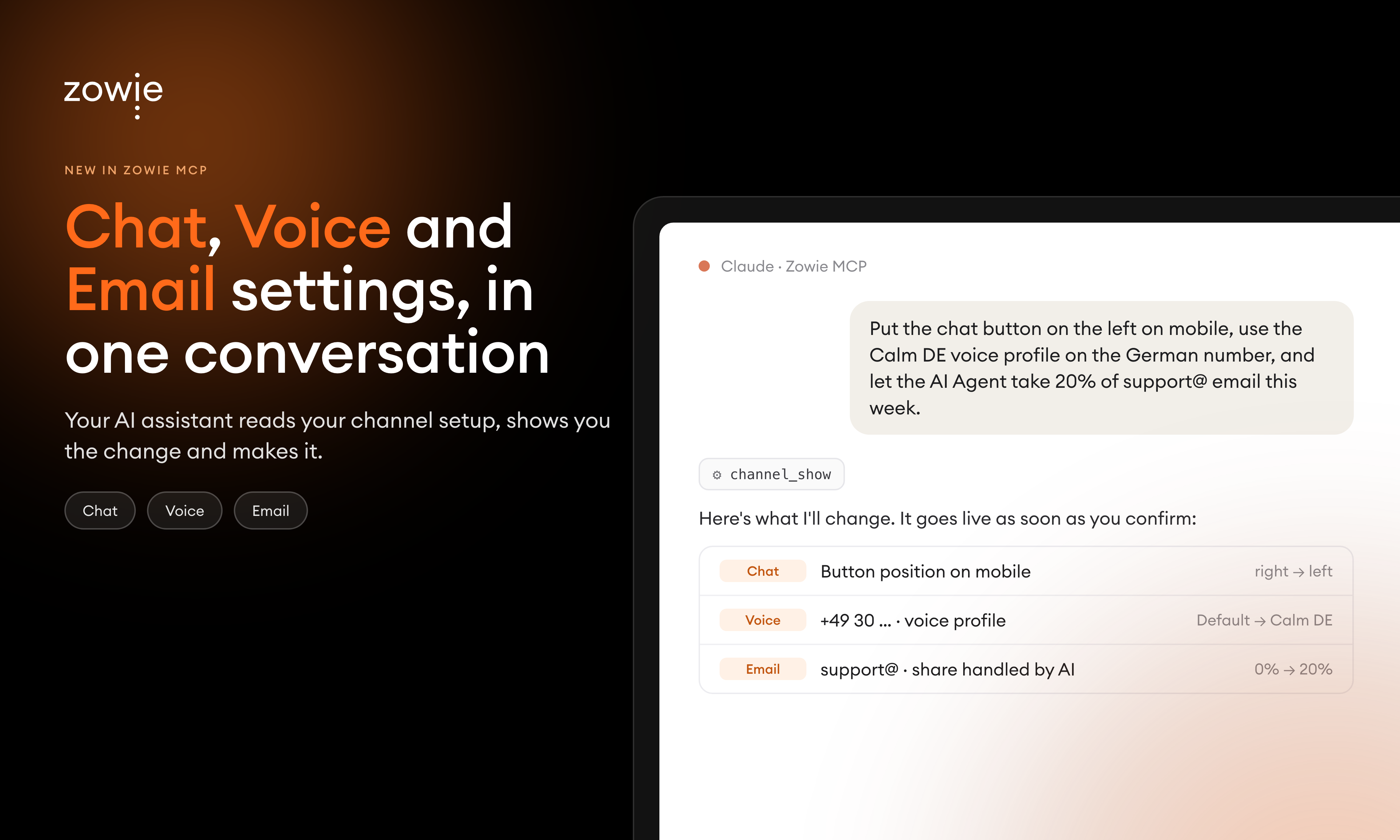
The AI Agent is configured, tested and ready. Then come the channel settings: the chat button that should sit on the left on mobile, the prompt bubble marketing wants after ten seconds, the German number that needs a slower voice, the mailbox that should only take 20% of email for the first week. Each one lives on a different screen.
Your assistant can now do all of it in one conversation. Tell it what you want, and it reads the current setup, shows you the change and makes it.
Chat. Ask your assistant to move or restyle the chat button, switch colours and theme, rewrite the welcome texts, delay the prompt bubble, hide the chat on some pages, change availability hours or turn CSAT on. It can even add the Zowie widget to your site for you.
Voice. Ask which voice profile each phone number uses. Then have the assistant create a new profile or copy an existing one, add a language and assign it to a number.
Email. Name a mailbox and tell the assistant what to change: switch the AI Agent on or off, let it take only part of the incoming email, add senders it should always or never reply to, update the signature or reply delay, or skip emails with attachments.
Live the moment you confirm. Channel settings have no staging copy, so changes reach customers immediately. That's why they need the Publish to production permission and an AI Agent set to Write to live — and why the assistant shows you the change before it writes it.
Available now. Docs: docs.zowie.ai/docs/zowie-mcp-server
Stop leaving your processes to probability
See how Flows and Decision Engine guarantee that every step of your process runs exactly as designed.