Decision Engine · AI Agent Configuration · New feature
Two New Moments: Hang-Up upon disconnection and Deflection
October 30, 2026
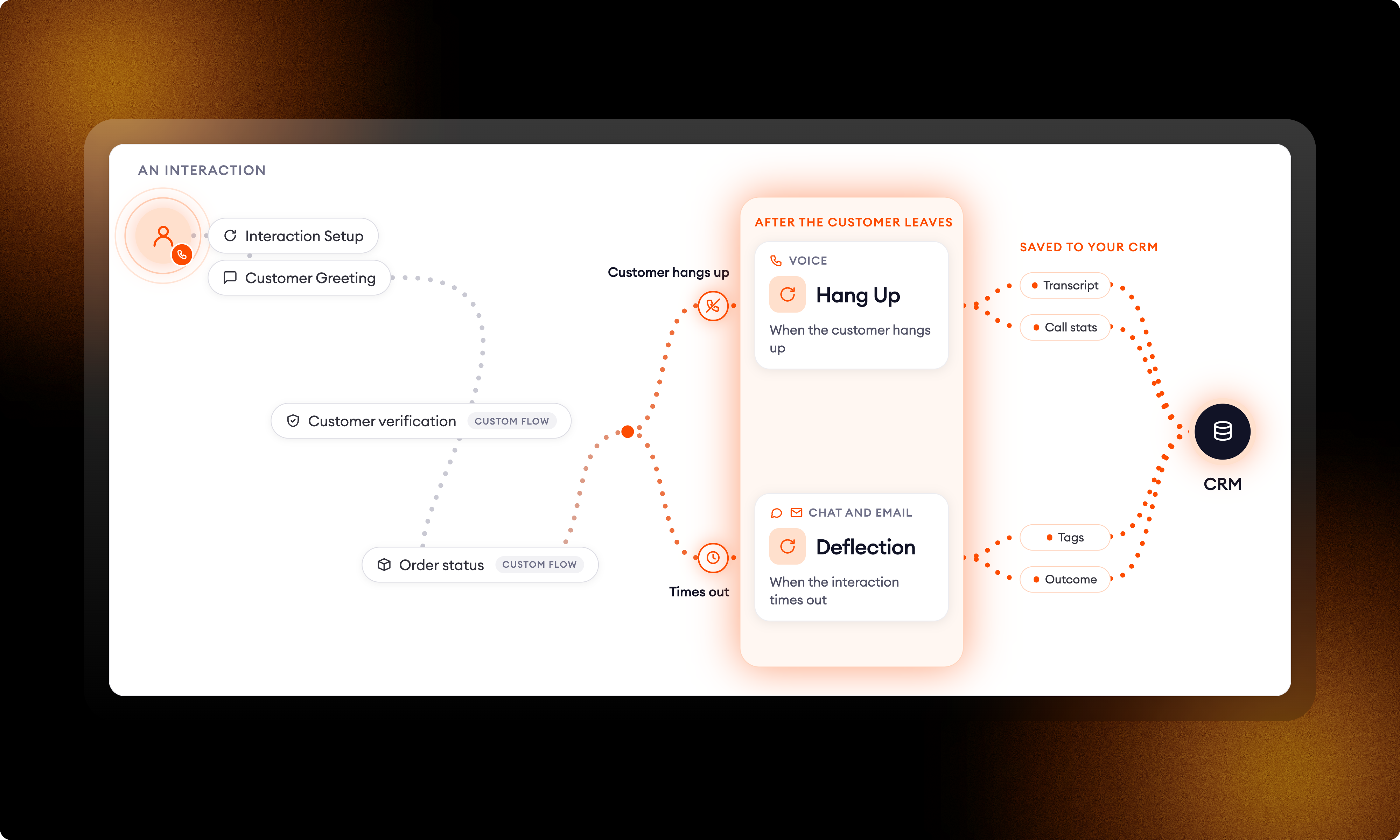
Moments let you run a flow at key points of an interaction, from Interaction Setup before the first message to Hang Up when the AI Agent ends a call. One point was missing: what happens after the customer leaves. On Voice, that's when the caller hangs up. In Chat and Email, it's when the customer stops replying and the conversation is deflected.
Two new Moments now cover it, for AI Agents migrated to the optimized Zowie architecture. Use them to send the transcript or call statistics to an external system, tag the conversation or update your CRM.
Hang Up: after the caller disconnects
Hang Up already runs a flow when the AI Agent ends the call. It now has a second scenario, when the customer hangs up. Choose a Post-call flow, and it runs once the caller has disconnected.
Deflection: after the customer stops replying
A new Moment for Chat and Email. When a conversation times out because the customer stopped replying, the flow you assign runs. For Voice calls, use Hang Up.
The customer is already gone
Both flows run after the customer has left, so build them for background work only, like sending data or tagging the conversation. Transfers and questions won't work, a caller who hung up doesn't hear any messages, and After Flow Ends doesn't run afterwards.
How to set it up
- Go to Moments → Advanced Scenarios.
- Open Hang Up, switch on When the customer hangs up, and choose a Post-call flow.
- Open Deflection and choose a flow under Assign the flow.
Good to know
- Both Moments don't run if a human agent was handling the conversation.
- Both are optional: with no flow assigned, nothing runs.
Questions? Reach out to your Technical Account Manager.
Stop leaving your processes to probability
See how Flows and Decision Engine guarantee that every step of your process runs exactly as designed.