Integrations
Zowie MCP Server available now
September 15, 2026
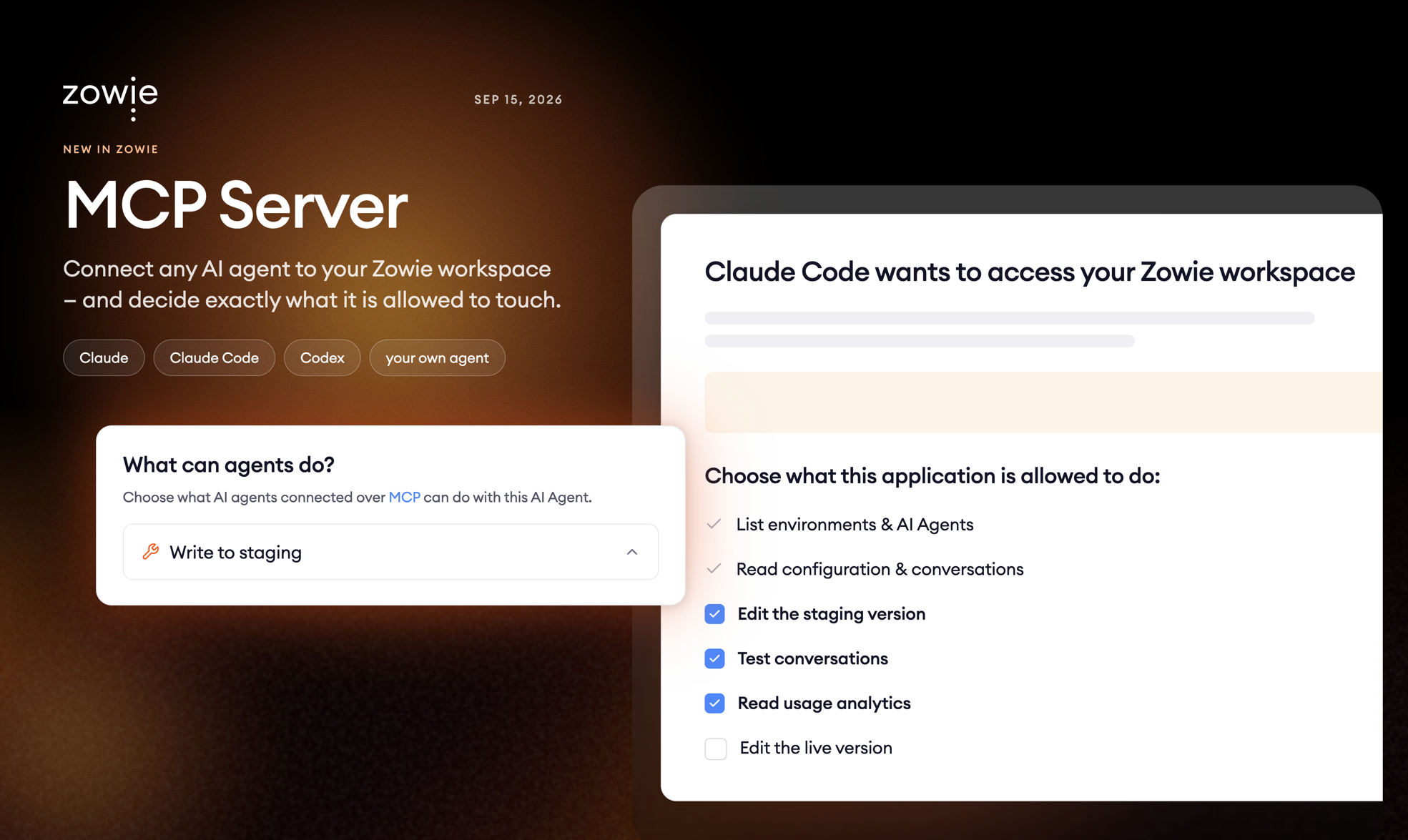
Kill the clicks. That has been Zowie's mission in customer support: no more hopping between tabs, copying order numbers, and clicking through the same five screens to answer one question. The AI Agent does the work and people handle what matters. Until now, working on your Zowie setup still meant doing it yourself, screen by screen: reading a hundred interactions to see why a process keeps failing, or updating twenty guidances after a policy change.
Today we turn the same idea on our own UI. The assistants people already use every day, Claude or coding agents like Claude Code or Codex, can do that work in minutes. They just had no safe way in: nothing that let them act as you, with your permissions, without you pasting API keys into a chat window.
The Zowie MCP Server is that way in. It is a remote server built on the Model Context Protocol, the open standard that most agents already speak. Paste one URL, log in with your Zowie account, and your assistant can inspect, edit and test your AI Agent on your behalf. No clicks required.
Connect once, log in like always
- One URL.
https://eu1-mcp.api.getzowie.com/mcpfor EU,https://us1-mcp.api.getzowie.com/mcpfor US. Add it as a connector in Claude, or drop it into your coding agent's config. - Your existing login. Authentication runs through standard OAuth and lands on the regular Zowie sign-in, including SSO. No tokens to copy, nothing new for IT to approve.
Everything in the configure → test → debug loop
- Read the whole setup. Persona, intents, guidances, processes and their schemas, global variables, policies, contact reasons, version values and system workflows. Plus interactions: the list, the transcript, and the reasoning logs behind every reply.
- Edit the configuration. Create and update processes, intents, guidances, the persona, global variables and contact reasons. Edits go to the staging version by default, so they stay invisible to customers until you publish. If you allow it, the assistant can edit the live version too.
- Talk to the result. Start a test conversation on chat, voice, email or phone, send messages and button clicks, and read back what the AI Agent said and why. Assistants can fix a process and verify the fix in the same breath.
Safe by construction
- Your roles still apply. The assistant acts as you, under the same environment roles and permissions you already have. Whatever you cannot do in Workspace, it cannot do either.
- You decide what to grant. During sign-in you pick the scopes the assistant gets: read only, write to staging, write to live, test chat, analytics. You can stop at read and never let it change anything.
- Admins set the limits per AI Agent. The "What can agents do?" setting on each AI Agent caps what any connected assistants may do. You can even opt-out from anyone using any connection to the given AI Agent.
Every tool call is recorded with who ran it, on which environment, and what happened. Test conversations are tagged as agent-initiated so they never get mistaken for real customers.
Available now
The MCP Server is live in all regions for every Workspace user. Open the AI Agent settings in Workspace to decide what connected agents may do, then point your assistant at the URL and sign in. Setup takes about a minute. The docs are at docs.zowie.ai/docs/zowie-mcp-server.
Stop leaving your processes to probability
See how Flows and Decision Engine guarantee that every step of your process runs exactly as designed.